
Jazz of Japan Notes
Jazz of Japan #365 — Jazz of Japan project notes
Background
Jazz of Japan is primarily an article-based resource for sharing writing, photos, and audio. In addition to writing articles, I have also experimented with different platforms, tools, and environments through the different versions of this project. This article documents the history and technical changes that I have taken this project through since starting in 2018.

J Jazz, Modern Jazz From Japan v1.0
I posted my first Jazz of Japan article online in January 2018, but I began to take notes on this topic when visiting Japanese jazz clubs and buying Japanese jazz albums in 2005. Those dozen or so physical notebooks became essential documentation for me as an early version of this project, and I continue to take handwritten notes to this day.
January 2018: Starting with WordPress
It was easy to set up WordPress on a laptop and start writing posts. I published the site online using the custom domain jjazzist.com (no longer in use) with AWS and Google App Engine at various times.
The WordPress system made it easy to switch layouts, write draft posts, and experiment and test changes on a laptop before updating the website online. However, over time I found that I stuck to a fairly simple design and didn’t make use of many WordPress plugins, except for functionality like media playlists, analytics, and backup tools.
The initial work involved
There was a fair amount of setup, mainly technical work to get the system running, online, publicly available, and smoothly connected between my local and public environments. But the most time-consuming part of this project at that time was the writing. It was a challenge to attempt to write concise, quality posts about music while trying to avoid bland or generic observations and cliches that are seen in some music reviews.
To get started, I focused on writing shorter posts with a goal of 4-5 sentences per album. I also focused on the goal of trying to publish a fair number of posts in the first few weeks of the project, as an experiment to see if this was something that was something that I had fun doing and could maintain.
The general process
Technical:
- Setting up WordPress and various plugins (layouts, templates, analytics, search, audio player, photo albums, etc…)
- Installing and running WordPress locally, online with AWS cloud services, configuring a custom domain, SSL, etc….
- Drafting and testing locally, publishing to the cloud, and creating and restoring backups between stages/systems.
Graphical:
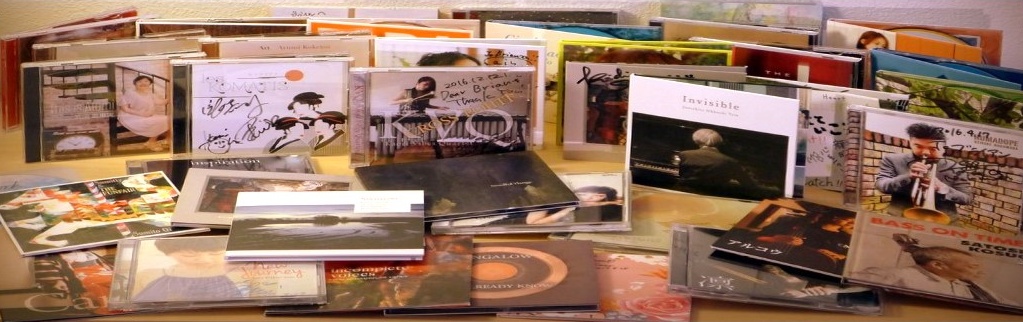
- Taking multiple photos of each CD: cover, back, booklet, liner notes, CD, obi
- Minor photo edits and adjustments
- Creating simple graphics for the website (headers, footers, About page)
Research and compiling:
- Including data (following a template layout) such as album title, artist name, year, label, etc…, and data for each musician on the recording.
- Creating a short mp3 of an audio excerpt
- Adding links to any relevant videos available online (usually YouTube)
- Adding other related links or information
Writing and publishing:
- Writing a description of the album, musicians, and songs
- Formatting essay, album data, photos, audio, links, and other data using a template format for consistency
- Modifying and updating layouts, adding sitewide graphics and navigation, tags, and related sitewide functionality
- Tracking articles’ status, date, tags, and miscellaneous data in a spreadsheet
- Starting to read/translate the liner notes (to be done later…)
There was a lot to do for each article, and the most enjoyable part was listening, re-listening, and enjoying albums from my Japanese jazz collection. It was also exciting to share this with other people who had an interest in this genre but didn’t have much access to information about it in English.
Results
Starting with the first post "Kazumi Ikenaga: Niwatazumi" on Jan 26, 2018 through the last WordPress post "Yoshihito “P” Koizumi P-Project: By Coincidence" on May 5, 2021, I published posts for 136 albums in this first 3 and 1/2 years.
Issues with WordPress
WordPress started to become a hassle with frequent updates of plugins and occasional technical glitches. In addition to running on a laptop for drafting posts and testing, it also required installing, running, and maintaining the WordPress system on a hosted server. I used a free tier of AWS for one year, and a free tier of Google App Engine for one year, eventually moving to an inexpensive monthly hosting plan for generic Linux apps or WordPress hosting.
Over time, this (running a simple app on a hosted service) became more effort than it was worth, and I wanted to concentrate more on writing and less on system and website maintenance. I also felt like I had reached the bounds of what I needed to get out of a WordPress site, and the constant upkeep of plugins and version upgrades became a nuisance. By this time I had written over a hundred posts including hundreds of image and audio files, and I wanted to make sure that all of this work was secure and stable and as independent as possible from any particular framework (in this case, the various WordPress tables and dependencies tied to a PHP database).

J Jazz v2.0
May 2021: Moving from WordPress to Substack
Substack offered an attractive solution: a simple design that featured newsletter functionality with a nice-looking web archive. The writing interface and dashboard was also refreshingly simple and clean. It was comparatively simple, a great interface to focus on writing and organizing posts.
In 2021, Substack was rapidly changing, enlisting high profile writers and sponsoring growth programs, yet the Substack team still seemed to have an independent startup freshness. Their support and outreach team was involved in weekly community discussions and enthusiastic to hear ideas from, and grow with, their writers. The platform was growing, but it was still all about writing newsletters.
Although I didn’t initially have the goal of starting a newsletter, I decided to give it a try. But honestly, the main attraction at this time was finding a way to use the Substack web archive as a replacement for the WordPress posts that I had been writing. It was free to do this on Substack. It was also a simpler replacement for the WordPress instance I had to both run on my laptop and maintain somewhere in the cloud, at some cost.
Compared to WordPress, the Substack system was simpler, cleaner, and included built-in benefits like an archive of posts and search functionality. With Substack, these were free, standard parts of the system, without having to choosing, configuring, or maintaining different plugins, themes, databases, configurations, updates, etc.
To move my articles from WordPress to Substack, I used Substack’s migration tool to import all the posts from WordPress to Substack. The import wasn’t perfect, and I had to do some manual fixes after the import, but it was manageable.
In May 2021, after importing, cleaning, and organizing my articles on Substack, I published the new “J Jazz” Substack on jjazz.substack.com (no longer in use).
In this second phase, I began to send out new newsletter emails for “Albums” articles through Substack on a regular basis. I continued publishing about 150 articles about Japanese jazz albums until the following year, when I decided to migrate the project to a static site.

Jazz of Japan v3.0
January 2022: Moving from Substack to GitHub
Using Substack was great for writing and sending out free-form writing, but there was some extra functionality that I was looking for. Now that I had about 150 articles with many drafts in progress, I wanted to better organize things and have a standard structure that was easier to work with.
Since most of my posts were about albums, I was using a regular layout for each article, like a template with a specific format and well-defined sections.
Specifically, I wanted to my text, musician data, images, links, and audio files stored in a database or some sort of flexible data format. I wanted to have finer-grained control of the data and presentation, like what website content management systems can offer.
For each article, I wanted a data- and template-based system based on:
- A main body section for the description of the album
- Images of the album, usually inserted throughout the body text
- Musician names, instruments, names in Japanese, and website links, all in a standard form that I could easily update later if any data changed
- Video and audio links that I could add/edit/remove easily later
Ideally, I wanted the data-oriented parts of the articles (names, URLs, etc.) to be centralized and consistent, instead of being copies spread out in different places throughout the articles.
Data standardization and validation
I also wanted to be able to validate that certain details were correctly displayed and consistent across all the articles. Specifically, musician names should be shown using the same spelling and related information on any pages on which they were mentioned. This was particularly important for Japanese names and titles, as translations to English can differ in certain situations.
Having centralized data with validation checks would also provide a good way to link musicians from any one album to other albums that they participated on. This gave me the ability to create the Musicians Index, where I could link each musician from each album to the other articles that they are mentioned in. This also made the list of Related Albums in each article easier to create.
I needed a database or file system where I could assign a musician key or unique identifier to that musician’s information, specified only once for each musician entry. For example, at a minimum:
musician_key: [“English name”, “Japanese name”, “instrument”,website_url, …]
Then, when writing my articles, I could use the musician_key in a certain way instead of writing out the names, websites, Japanese names, and similar strings in the articles directly by hand. Those details could be inserted later through pre-publishing tools or scripts.
At the same time, I wanted to be able to override certain detail from page to page as necessary. For example, a musician’s primary instrument may be piano but on a specific album they are listed as playing Hammond B3. I wanted to show the musician’s default instrument generally, so that I did not have to type it out each time (“Musician Name - piano”) but override that easily on certain albums when necessary (“Musician Name - Hammond B3”).
Also, by using this data, I would be able to automatically generate an index page with musicians’ names in English and Japanese, with their instruments, website links, and a list of the albums they played on.
Further, with each new album post that I published, I wanted the Musicians Index to be automatically updated using the latest data from the new articles and the centralized musicians’ data. This also gave me to flexibility to design the generated files as tables, lists, with or without thumbnail images, or in any other way (in other words, separation of data and presentation).
In summary, I wanted to:
- Write in Markdown (plain-text files with simple formatting) with Git for versioning
- Define a custom data structure for musicians data
- Store the data in a persistent database or version-controlled data files
- Generate articles from Markdown using consistent layouts and data
- Compile indexes from the data and articles
- Perform analysis and validation of the data used throughout the articles
The GitHub solution
GitHub was a good fit by providing a Git-based cloud backup and build system integrated with GitHub Pages, a static website publishing system with a Jekyll/Liquid template system. A major change and benefit with GitHub pages was that it allowed me to standardize my Markdown file structure where I could define the data structure I wanted for each “Album” article.
Not only would these files be the source format for my writing, which I had previously copy-and-pasted to Substack manually, now these source files would be directly driving the actual presentation of each published article. No more copy and paste, and no more divergence between my source files and the version uploaded to and edited on Substack.
I wrote a program to import all my posts from Substack to Markdown files, and I created my first GitHub Pages site this way. It was straightforward to link a custom domain jazzofjapan.com to the GitHub Pages site.
In addition to the Markdown file format, Jekyll also supported data files. First, I used some CSV files to maintain a database of musicians and other data. This ended up being a very straightforward and convenient solution to the data problem outlined above. With everything available locally on my laptop in Git and backed up on GitHub, all the data and Markdown files were easily versioned and compared to earlier versions. This also gave me more confidence that my files could be easily changed, updated, reverted, branched, and so on. This was also a major advantage over writing in a Substack browser window, where diffs, undos, and versioning and nearly impossible to manage.
The combination of data stored in structured Markdown files and CSV data also made it easy for me to supplement the Jekyll website with custom layouts (for the auto-generated Musicians index page, for instance), and to use other programs I wrote for data validation and analysis.
One constraint with using a free GitHub account and GitHub Pages was that my repository of Markdown, data files, and scripts needed to be public in order to make it available as a public-facing Jekyll website. This meant that all the writing, data, and code was available for anyone to clone or copy easily. I had to be careful to never commit any files to this Git repository that I didn’t want to be available — draft posts, previews, or technical details that I did not want to be stored in the code repository. Keeping everything in a public repo gave me a bit of unease, but fortunately, I found a way to protect the content in a private GitHub repo and to publish the site to my default public repo using a custom GitHub Actions script.
With this solution, I could write, edit, preview, and revise my articles posts on my laptop anytime by using Git, Markdown, and Jekyll. I wrote some code (in Java using Eclipse) to make some things easier, like creating Indexes.
When ready with a new article, I would commit my final version to Git and publish them (push) to GitHub. This would trigger an automatic build and refresh of the website on GitHub Pages that was available through my custom domain. It was a simple and convenient all-in-one solution.
Results
By moving to GitHub Pages with Markdown:
- I defined my own data structure and templates
- I controlled my own versioned writing and data
- I wrote locally on my laptop using any program (before: Word/Scrivener; now: Eclipse/Notepad++/…) in Markdown
- I performed analysis on my files
- I generated indexes/compiled files such as the Musicians Index, a table of musicians to albums that is updated automatically with each new article
The fundamental change from the reader’s point of view was that the Jazz of Japan newsletter was retired, and it was no longer on Substack. Jazz of Japan was now a static website now with no subscription capability (other than RSS) and no subscriber list.
In January 2022, after migrating my newsletter archive (about 150 articles) to my static site on GitHub, I retired the jjazz newsletter, closed my Substack account, and continued to publish new articles on GitHub.
September 2022-January 2023: Preview posts
I had a long list of albums that I still wanted to introduce, but not enough time to write an article for each that I would be satisfied with. I decided to release articles I would call Previews. These would be very similar to the regular album articles I had been posting, introducing each album with images and audio excerpts, but without any descriptive comments about the musicians or songs. I planned to release Previews in quick succession to the website, to get a page up for each with images and audio, ready to be extended later.
In September 2022, I started releasing Preview articles. I added 53 Preview articles from September 21, 2022 through January 23, 2023.

Jazz of Japan v4.0
May 2023: Moving to Substack + Markdown
Now that the entire system was stored in GitHub as articles, images, audio, layouts, and code, I returned to Substack to reintroduce the newsletter functionality and update the website’s look and feel.
While the GitHub/Jekyll-based version was functional and straightforward, there were some limitations that I was facing. Aside from social media promotion (that I had tried before, and decided to avoid), there was no convenient way to share articles more widely, such as with a newsletter.
Considering relaunching the newsletter, I was being drawn back to Substack’s ease of use, clean interface, and tools. One of the biggest benefits of using Substack was that it was such a convenient place to write. The interface was clean and welcoming, the tools and settings were simple and pared down, and there was a wealth of support and an encouraging community. The system just seemed to make you want to write.
Moving from GitHub to Substack
As part of a test of how I could integrate Substack with my Markdown files, I began by importing all my files from GitHub pages to Substack. It started off well, so I tentatively shut down the GitHub Pages project and continued to send articles using Substack for the newsletter and archive. I also moved my custom domain jazzofjapan.com from GitHub Pages to my Substack publication.
There was one important difference compared with how I had used Substack before. This time, I would use Substack for the newsletter and website, but I would continue to write and maintain Markdown files and data files on my laptop, as I had started doing with the GitHub Pages version. I continued to store all these files in Git and back them up on GitHub. The reason for this was to maintain control over the authoritative content that was the text for my articles, data, images, layouts, templates, and so on. I would not have to worry about using Substack’s editor window in a browser to write, edit, or make changes, without knowing exactly what had changed from version to version.
In effect, I was maintaining two systems for writing and publishing. I used Substack to handle the new v4.0 website with public articles, subscriptions, and newsletter emails. At the same time, I used Markdown and Git on my laptop for writing, data, and scripts for validation, templating, automatic indexing, and other tools.
Writing in Markdown and publishing on Substack
Using Markdown plain-text files, my files were now my source of truth, my latest versions with a complete version history. I also now had a simple way to convert them to Substack articles each time I completed a new article, changed an old article, modified a layout, etc. This manual import to Substack was simply a copy and paste of the rendered HTML from one browser tab (Jekyll on localhost) to another (the Substack editor).
Also important, I could write freely in version-controlled plain-text Markdown files, on my laptop, with any program I wanted, like Word, Scrivener, Notepad++, Eclipse, Emacs, etc. Then, using Git, I could back up those source files easily and compare differences between versions or create branches for different projects.
With Jekyll running on my laptop, it was easy to incorporate common sections into my articles. I used these sections to include the album’s musicians, audio, video, and links. I could combine my free-form writing with data-driven portions. For example, I could transform keys like fumio-karashima into text like “Fumio Karashima (website) - piano” and include the Japanese name for each musician. I could use a standard layout by using my templates, data, and scripts to format my articles consistently in the way that I wanted, and I could change those layouts and templates later, easily, if I wanted to.
Finally, when viewing Jekyll’s locally rendered Markdown page in a browser, I could cut and paste the formatted output directly into a Substack editor window. As a manual process, this worked conveniently but not completely: Article attachments like images and audio files needed to be dragged into the Substack editor, one by one, and moved within the text to the location I wanted them to appear. Since my articles usually contained many images and an audio file, this was a problem that I wanted to solve someday. I wanted a solution where, ideally, the whole formatted article, with images and audio in their proper places, could be uploaded through a public Substack API, but Substack did not offer this.
With all of my Markdown files stored in Git on my laptop, it was also reassuring that I had a cloud-based backup on GitHub for everything with a complete version history. Plus, I could clone that repository anytime on another machine. This would be a lifesaver in case anything disastrous should happen to my local copy or the copies that I was uploading to Substack.
A problem with the dual system
One problem with this dual approach of maintaining my source files and copying them to Substack was the potential for the two copies to diverge. How would I know if I accidentally changed something in the Substack editor without updating my local copy, or vice versa? I wanted to keep the files synchronized in one direction, from Markdown to Substack, and be aware if any differences arose later.
My policy was to always consider my Markdown files as the authoritative source of truth, in terms of the latest versions of my writing. This is because I completely controlled my Markdown files, but once I uploaded copies to Substack, they were partially out of my control (and could be changed by bugs, hacks, new features or updates, policy changes, etc.).
Of course, since Substack was hosting my newsletter archive and sending my emails, they always had the ability to do whatever they wanted to my articles, without my knowledge or consent. They could insert their own branding, advertisements, and recommendations in the space above, below, or around my writing (let’s wait and see if ads are ever placed within the text of articles!). They could add prompts to upgrade, to pledge support, to download their app, and promote any of their new features. Some of these have already happened.
To address the problem of the text of my articles diverging between my source copies and the Substack copies, I created a program to check for differences based on the Substack exports, which I would diligently download at least once a month. This worked well enough to identify visible differences between the two versions.
Results
By moving to Substack with Markdown, I combined the advantages of my Markdown- and Git-based authoring system with the functionality of a Substack newsletter and archive like I had previously used in an earlier version of this site.
After restarting the newsletter in May 2023 and importing all previous articles (excluding album previews), I continued to test new Substack features like newsletter sections, paid subscriptions, and additional newsletters, but I usually came back to my guiding principle of “simpler is better”.
In addition to continuing to write new Albums articles, I also started to publish articles in the Clubs and Guides categories. Paid subscribers also started to generously contribute to my newsletter, which made me extremely happy and boosted my motivation to keep it going with regular and better updates.
The fundamental change from the reader’s point of view was that the Jazz of Japan newsletter was restarted, and it was back on Substack with the complete archive. I continued to use Substack for Jazz of Japan until February 2026, making various changes to my writing environment throughout.
March 2025: From Jekyll to Hugo
Jekyll had become too slow as a convenient solution for editing Markdown files on my laptop. With hundreds of articles, thousands of media files (images, audio) files, and several data files, the reloading of the site after a file changed had become extremely slow. Each time a page changed (each time I changed and saved a file in my editor), there was a lag of about 60-120 seconds before Jekyll could reload the page with my changes. This made the writing process very burdensome for certain tasks. It seemed that slowness of Jekyll was a common frustration with Jekyll and large sites.
I had heard that Hugo was a faster alternative, so I decided to run a quick test using my existing Jekyll environment and all my Markdown files. Hugo handled it incredibly well. Page reloads were fast and happened on the order of milliseconds, not seconds. This meant that I could view my changes in a browser instantly, without waiting tens to hundreds of seconds for the site to reload. This was a solution to the exact problem I was having.
Like Jekyll, Hugo uses with Markdown as its default content format, so it did not take much for me to test my Markdown-based writing environment as a preliminary experiment. First, I had to make some general changes to update my customized Jekyll-based environment to a default Hugo-based environment. These initial steps involved things like configuration changes (_config.yml to hugo.toml, etc.), Markdown file syntax changes (Jekyll/Liquid syntax to Hugo/Go syntax), file and directory changes, and so on. At first, there was a bit of a mess as I had Jekyll and Hugo running in parallel with the same source. This allowed me to compare the two systems side-by-side with the same source data, and decide if a Hugo-based site was interesting, nice to work in, and worth the migration effort. Having Hugo run on an existing Jekyll project worked up to a point, but eventually, after I decided to dig deeper with Hugo, I created a new repository for my Hugo site and copied all my content into the new project.
The major change was customizing the Hugo theme to match the Jekyll layouts and formatting I had been using, so that I could continue copy-and-pasting rendered text from my browser to the Substack editor. I would do this for each new or updated article page and the resulting generated index pages. Since 2022, I was no longer writing and editing articles in the Substack editor or in a writing tool like Scrivener because I wanted to write, save, and manage versions of files using Markdown and Git.
From a Jazz of Japan reader’s perspective, nothing really changed. The newsletter and archive were still on Substack, and the generated index pages were still on the subdomain and GitHub pages. But my writing environment, based on Markdown files rendered through Hugo instead of Jekyll, had improved dramatically.
July 2025: From Markdown to Org mode
My goal at this point was to simplify my writing environment by moving from Markdown files to Org mode files. Initially an exploratory project, I wanted to see what the effort would be to move to Org mode, and if there were enough advantages for me to write and save files in Org mode markup instead of Markdown markup. I also wanted to return to an Emacs-based writing environment, and while Emacs supports general-purpose formats like Markdown very well, Org mode goes further, as it is a native Emacs format and is more tightly integrated.
Formatting in Markdown and Org mode files is similar and the syntax can be converted easily. For example, Markdown uses # for section headings, * to wrap italics, ** to wrap bold, and [ ]( ) for links. Org mode uses * for section headings, / to wrap italics, * to wrap bold, and [[ ][ ]] for links.
First, I converted hundreds of individual Markdown files (one per article) into Org mode format. This can be done automatically by using the standard utility pandoc for document conversion. I also grouped the individual files (one per articles) into just a few large, topic-based files, with a separate top-level section for each article. For example, I now had albums.org, clubs.org, and guides.org (and a few others) instead of hundreds of files with filenames like article-title.md.
This conversion to Org mode allowed me to improve my copy-and-paste flow from HTML to Substack, my manual import process that I followed when I needed to create or update a Substack article. Previously, I needed to copy-and-paste a Hugo-generated HTML page into Substack’s browser-based editor (omitting images, which had to be handled separately). This required me to run Hugo to generate the HTML, something I had been doing for a while and was not particularly a problem. Still, I thought it would be nice to eliminate an extra dependency and link in the writing process if I could:
Markdown -> save --> Hugo --> HTML -> SubstackOrg mode -> export ---------> HTML -> Substack
With Org mode, instead of running Hugo to generate HTML, I could export Org mode files from Emacs to HTML directly with a few keystrokes. I could even continue to use Hugo since it works with both Markdown and Org mode files.
Org mode in Emacs also includes the benefits of better document navigation, subtree folding (section collapse/expand), integrated status and task tracking, and exporting to a variety of formats. For people who are familiar with Emacs and used to writing in an environment with Emacs commands, it may feel more natural to write in Org mode instead of Markdown, especially if you are already using Emacs or Org mode for other things.
Fortunately, it is easy to switch between Markdown and Org mode depending on the situation, since they are both markup languages based on text files and a simple formatting syntax. As a general-purpose documentation format, Markdown definitely has its place, and I am comfortable switching to Markdown formatting for quick notes and certain cases, useful for its simplicity and presence. For this project, however, I converted all of my Markdown files to Org mode.
After switching to writing and saving all my source files in Org mode, I no longer had to run Hugo on my laptop, since Hugo was no longer an essential part of the copy-and-paste pipeline to Substack. I also found it convenient to have all of my articles stored and organized in just a few Org mode files, even though the files were large, nearly 20,000 lines in one case. I haven’t had a problem with Emacs handling these large files well, and with section folding, document navigation, search, and other useful features, it’s a change that I’m happy with.

February 2026: Jazz of Japan v5.0 (Buttondown)
I had been considering alternatives to Substack for some time, and eventually I decided to give Buttondown a try. Why was I considering a move? Well, for a long time, there were elements of Substack that I was unsatisfied with that I may describe later (there is no shortage of articles and opinions on the web on this topic), and this feeling was increasingly bothering me.
Buttondown was attractive for a number of reasons: their focus on newsletters, support for Markdown format, having an API, and their size and goals as a company. On the downside, running a newsletter on Buttondown would no longer be free as it was with Substack (which was not really free, since they were taking 10% of money earned through paid subscriptions while inserting their ads, upsells, and branding as they wished). Still, the advantages of Buttondown, and the independence and control that I would regain by moving off of Substack, were worth it to me, and it’s good to pay for products that are worth it.
I signed up with Buttondown and setup my new Jazz of Japan newsletter there, paying 290 USD for one year to get the features I wanted. I wrote a program to automate the process of transforming my Org mode articles to Markdown and uploading them to Buttondown through their API. Using my archive of markup files and images, a Python script, and Buttondown’s API, I imported my complete archive and subscriber list to buttondown.com/jazzofjapan.
As an alternative to programming scripts, Buttondown also provides a command-line interface, but I was already using my own scripts for tasks supporting my writing, so I continued using scripts to integrate with Buttondown’s API. For writers who want to import their newsletter archive to Buttondown more easily, there are ways to import a Substack archive that don’t require any programming or using APIs, up to and including personal concierge support from Buttondown.
Because all of my 350+ articles were already in markup format, using Buttondown’s API to import my newsletter to their platform was straightforward. Uploading my articles directly through an API meant that I did not have to export/import articles from Substack to Buttondown. This gave me greater control and visibility into how my articles would be transformed during the migration.
After verifying that everything was uploaded and appeared to be in a good state, I updated my DNS settings to move my custom domain www.jazzofjapan.com from my Substack publication to my Buttondown newsletter and archive. Without a custom domain set on Substack, my Substack publication was reset to the default domain, and my Substack archive was still available at jazzofjapan.substack.com. To avoid having my web archive duplicated, I unpublished all my articles on Substack so that they were solely available on through my Buttondown archive. I had been using the same custom domain since 2022, so moving my archive of 350+ pages from Substack to Buttondown did not affect SEO or Google search results, as the www.jazzofjapan.com domain remained the same.
There was one difference: The format of individual article URLs changed from /p/slug to /archive/slug/. But, not to worry: the /p/ URL versions are still supported by Buttondown as aliases or redirects for /archive/.
I was now up and running on Buttondown. I stopped sending newsletter emails updates through Substack, and my next newsletter email was sent through Buttondown with no problems or interruption.
Results
- Buttondown was now the platform I used for newsletter emails, the web archive, and subscription management
- The newsletter and archive were completely migrated and no longer on Substack
- The newsletter and archive were still on https://www.jazzofjapan.com which now pointed to Buttondown servers
- Emails were now sent from my custom domain
jazzofjapan.cominstead ofsubstack.comand reflected in the sender’s From: field - Both Substack and Buttondown use Stripe as their payment platform, so paid subscriptions continued, and it was just as easy as before for newsletter subscribers to upgrade to a premium subscription if they wished.
There was a little bit of work required to get Substack support to disconnect Stripe without canceling my paid subscribers. Once this was done, no paid subscribers were affected by the change to Buttondown. There was one exception: Paid subscribers who upgraded on Substack using iOS in-app payments were managed through Apple, so their payment details could not be transferred to Buttondown through Stripe. Buttondown support was great in providing a quick workaround for this, which involved giving those iOS-based premium subscribers a free trial month, after which they could add payment details through Stripe when their trial ended.

April 2026: Automatic indexing
Most of my articles on Jazz of Japan were about individual albums. During the periods that I was publishing on Substack (in v2.0 and v4.0), the articles appeared in my Substack archive as a flat list ordered by date with a thumbnail image and an excerpt. To supplement this archive-style index, I wanted to present the articles as a list of albums ordered by album release year, not just by the article post date (Albums Index). In addition, I wanted to create an index of all musicians included on all albums, with links to each album (each article) that each musician appears on (Musicians Index). Finally, I also wanted a timeline-based list of articles to show the oldest to newest issues, like the Substack archive but simpler and customized for my article types (Articles Index, aka Publish History Timeline).
Most importantly, I wanted the indexes to be automatically regenerated each time I published a new article. That is, the new album should be added to the Albums Index, the musicians included on that album should be added to the Musicians Index, and the new article should be added to the Publish History Timeline. I also wanted to be able to easily update the indexes on demand, whenever I fixed a typo or changed a detail for an album, musician, or article.
The overall goals were:
- When publishing a new article to Substack, automatically update the index pages so I did not have to hand-update those pages on Substack.
- Use minimal formatting for the index pages so that they are easy to read and search.
Eventually, I thought it would be better to remove the index pages from Substack and host them somewhere else. The reasons for this were:
- Substack updates to these types of pages were a manual, error-prone process.
- Substack didn’t display indexes well, as their layout was optimized for paragraphs of prose, not for long lists of links, and had no support for tables or other formatting options.
- Indexes did not fit within the three general types I was using (albums, clubs, guides).
- Adding these links to the Substack navigation menu opened them in a new browser tab, treating them as a separate site.
- Having long index pages with many links could trigger checks or even banning by resembling SEO link farms.
- Similar issues arose with other index-type pages I wanted to handle, including Audio Mixes and Categories.
- If and when I stopped publishing on Substack, I wanted to be able to move the indexes as-is along with all articles
Partially automated updates
My first solution for generating index pages was based using a program to create indexes by parsing the HTML of all the articles I had posted on Substack. This was a program I could run as often as I wanted, within reasonable limits, in order to update the indexes based on all currently published articles. After writing a new article, I would run the program to fetch all published articles, parse them, and collect certain data from each page. Since I was using a standard format in each article to display album information, I could identify and parse my text (for album titles, musicians, etc.) in order to create the indexes and display them however I wanted — as different types of lists, tables, or whatever looked best. This worked but was not a long-term solution, since the program involved parsing HTML from a format that was more-or-less free-form (WYSIWYG in the Substack editor) and not tied to a specific template or markup language.
Plus, I still had to manually update the index pages using the output from the program. Whenever I published a new article on Substack, I also had to update the indexes that I had created as standalone pages on Substack.
Since I wanted to keep my indexes up to date each time I published a new article, I needed to update each index page on Substack with references to each new article. Instead of editing each index and adding the new lines in the right places (which is cumbersome in a browser-based editor for large, dense lists), I decided that it was better to copy-and-paste the entire text of each index with the newly generated text that my program created. This helped reduce the hand-editing involved and the risk of errors.
I was still using a Java program that I wrote early on for this and other tasks, and running this program and copying the output was still one part of my manual publishing pipeline. It was habitual and easy to do, but I wanted to automate more of the process, ideally not having to update several index pages on Substack each time I published something new.
Initially, to parse the HTML, the program would fetch and scrape all articles from my Substack publication through URLs. Later, I changed this to using parsing Substack’s export files, but it was still a brittle process that relied on parsing Substack’s generated HTML.
Fully automated updates
I eventually moved the index pages from Substack to a static site (v3.0), and then moving back to publishing on Substack (v4.0). This allowed me to automate the process of regenerating index pages and republishing those updates, so that I no longer had to manually update the index pages though cut-and-paste to index pages on Substack.
So, instead of using a Java program to generate index files, I used Jekyll customized templates and layout code (I later changed this custom code from Jekyll to Hugo and Python).
At the same time, I improved the data collection for generating the indexes by parsing my source Markdown files (later, Org mode files) instead of scraped or exported HTML files.
Script-based updates
The indexes are updated every time a new article is published, not by hand but through the use of a script. This allows new albums and musicians to be added to the Albums Index, Musicians Index, and Timeline pages automatically with no manual editing. These indexes are generated using properties from each article supplemented with data that is normalized and canonical, such as proper and consistent musician names, album titles, musician websites, album labels, years, performing musicians, and other data, along with links to corresponding articles.
In other words, each index is completely recreated each time through an automated script that parses all current articles saved as text files (Org mode markup), plus a few data files. Since the generated indexes themselves are also version controlled using Git, the exact changes can be verified before publishing. As a last step, the regenerated indexes are committed and pushed to GitHub, and the indexes website is automatically republished and refreshed.
At a high-level, all I need to do is write and save articles with some minimal property data (ids, text), run a script to update the indexes, and push the updates to GitHub.
Org mode files
All my articles are written independent of any particular newsletter platform and are saved as Org mode text files.
With my defined file format, I can include a few properties whose values are special strings for each article:
:id:unique id for an article asartist-name-album-title(aka slug):published:date the article was published asyyyy-mm-dd:members:list of musicianidsfor this article, with optional overrides- etc…
Using structured markup files with defined properties makes the parsing of data more straightforward and complete, compared to what I was doing before by scraping HTML.
Regenerating and updating indexes
Previously, when an article was ready to be published, I would export it from Org mode to HTML format and copy-and-paste the content into the Substack editor by hand, since Substack has no API. Then I had to follow this with images and media files uploads and positioning. After I moved from Substack to Buttondown, I could use an API to publish articles, and copy-and-paste of article text to a browser editor (with manual uploading of images) was no longer part of the process.
Using the values from all the published articles, and the list of members (referenced through ids), indexes can be generated automatically through the script using article and data files.
The data files (*.csv) are used to store additional data in a convenient format and include albums data (release year, label, …) and musicians data (Japanese name, instrument, website, …). Each data item is identified by a unique key based on name or title, similar to an URL slug.
The process is:
- When a new article is ready to be published, I regenerate the indexes by calling a command line script.
- I commit and push the generated indexes to GitHub.
- An automatic trigger on GitHub builds and republishes the indexes website.
Separately, because the index files are compatible with Jekyll and Hugo, I can also manage and update the indexes site locally for testing, previewing or changing anything on the site.
Destination
These indexes are served by a GitHub repo using a custom subdomain assigned through DNS updates and GitHub settings. The root domain <domain>.com is the same custom domain used to serve the newsletter and archive (www.<domain>.com), but with a different subdomain name (docs, about, etc.) so that the indexes don’t conflict with the newsletter domain.
Consolidating resources
Now that I could update articles through Buttondown’s API, I wanted to do the same with the indexes. This also allowed me to move indexes from the subdomain about.<domain>.com to the primary domain www.<domain>.com. I used the same tools and processes to regenerate and update the resources pages automatically each time a new article was published.
My process still included updating the indexes through an API whenever I published or updated an article, and now I could update the indexes the same way. This replaced the GitHub-based process outlined above, since I had replaced the indexes on that about static site with two new www articles on Buttondown.
For this change two new articles were added to the archive: About Jazz of Japan and Jazz of Japan Index. I set their published date to the original date of the site in 2018, so that they would appear first in the archive. To support links to the about site that were previously shared, I added redirects in the old pages to automatically redirect to the new pages.
After this change, everything was on the primary www domain, making the indexes appear similar in style and layout to existing articles. This reinforces the fact that the two supplemental pages are on same site as the newsletter and articles (this impression can be weaker or confusing when the pages are located on a separate about subdomain with a different look and feel).
Another benefit was that I could remove an extraneous component that was not longer necessary: the about static site on GitHub. The fewer moving parts, the better, at least for this type of writing-based project.
May 2026: Offline-first writing
Writing in a browser (2018-2019)
When I started this project in early 2018, I created articles by writing directly in the browser. In the beginning, I would type directly into the WordPress editor running on my laptop and then upload files to WordPress running on Amazon Web Service and Google App Engine at different times. Later, when I switched to Substack, I would type directly into their web-based editor app, edit, and publish through Substack. The final versions of my work were saved on Substack servers. The only way I could get the latest version of an article was to load the webpage and copy the text or use Substack’s HTML-formatted exports.
A manual process
I arranged my articles in a simple, specific layout that worked well with my one-article-per-album format: I had certain title and body sections, headlines, fonts, formatting, images, and audio placed where and how I wanted them to appear. It was more or less a template that I could copy for new articles. For consistency, I would copy my previous article and replace the details for each new article.
While writing the article text, I also needed to upload images and audio files through drag-and-drop from my laptop to the browser, placing them exactly into the text where I wanted them to go in WYSIWYG style. With WordPress, I used templates and plugins, and I could access the database to view and edit data. With Substack, it was like a content management system running in the browser. To get a detailed view into my source writing, all I could do was export my data as HTML files from Substack. But with both WordPress and Substack, I was still typing text into a browser, and all formatting, media, and organizational elements were mixed in with the text in a way that I could not precisely define, structure, or standardize (by using a markup language, for instance).
This browser-based environment for article writing and editing worked, but it made my writing process dependent on specific tools and conditions. These include the features, limitations, and quirks of WordPress, Substack, the OS, the browser, internet connections, and so on.
In the early phases of this project, I was focused with getting things out in a reasonable format and at a steady pace. With those priorities, a browser-based writing process was a natural way to start and maintain for a while. I got used to it, but I didn’t like the repetitive manual steps that were part of the process. Making widespread changes was daunting, so performing tasks like re-uploading images, adding sections, or updating the layout for every page would not be easy. For example, if I wanted to add a link to the footer of all pages in my Substack archive, my only option was to load, edit, and update each page one by one in a browser. To update hundreds of pages manually takes considerable time and effort and is an inherently error-prone process.
Browser-based editors
I never liked writing directly into a browser. In a positive light, browser-based editors are convenient and powerful, and the slickness of some UIs can almost create a feeling of encouragement, like there’s nothing between you and your writing.
On the other hand, typing in a browser can be frustrating. If your fingers are used to certain shortcuts or keystroke commands common in other programs, you have to readjust and remember that these keys may be mapped differently in the browser, or in the custom editor app running in that browser. (“Grrr… No, I don’t want to print the page/save the html/open a new browser window…”) Relearning key shortcuts and internalizing them can be hard to do when you are focused on writing and muscle memory drives a lot of your automatic typing.
A browser-based writing environment can be especially annoying when the text grows long, goes through many edits, or is completely rewritten. If you want to revert changes, the undo command can only do so much, and it’s difficult or impossible to compare the current version with what was there before.
Plus, it’s frustrating to have a browser freeze or crash in the middle of writing, or lose internet connectivity, and you don’t know how much of your text, or which version, was most recently saved. Just the possibility of that happening while you are writing can create a subtle state of underlying anxiety, a less than ideal state when you want to have a good, relaxed writing session.
Substack included a rudimentary version history feature in their editor, but the tool did not include a way to see detailed differences or compare versions. You could only go back to recover a previous version from a long list of auto-saved versions, which could be a minimum safety net in case of emergency, but not as useful as a real version control system.
Furthermore, trying to write an article by typing directly into a browser somehow feels more ephemeral, as if writing an off-the-cuff social media post that you are in a hurry to get out, something that you may not consider to be important as a long-lived statement. To me, this is different from fine-tuning a piece of writing by spending time (days) proofreading, editing, and finally publishing something in a finished form that you are happy with. A browser-based editor is convenient for some things, but not a great place for such a deliberate writing and editing process.
Writing while online
Using a browser-based editor for writing also means that you need to get online and stay connected to the internet. For example, to load the Substack editor, and to load any drafts or previous articles, you need to log in to Substack in a browser. As you write, Substack saves your changes to their online system, and this also requires uninterrupted internet access. Similarly, uploading images and audio files to include in a draft is dependent on internet access.
It wasn’t that internet access was a problem for me, since most of my writing was done at home anyway. But I didn’t like the fact that having internet access was a necessary condition for writing, revising, and previewing drafts. Plus, being always online, with the perpetual consciousness of having instant access at your fingertips to web searches, email, and alerts is a distraction that can interfere with deep thinking.
What I wanted instead
Eventually, I wanted to improve my writing environment in these ways at least:
- Use a dedicated program for writing, instead of typing directly in a browser
- Not be dependent on an internet connection to write and update articles
- Have a more convenient way to insert and arrange images
- Use version control for the source of my articles
At various times, I had used programs like Word, Scrivener, Notepad++, Eclipse, and Emacs to write drafts and paste them into the WordPress or Substack editor. A constant problem with this was that it was too easy to make simple edits and revisions directly in the browser to view them in context. But, when doing this, I needed to remember to keep my source material simultaneously updated. The proper alternative was to return to my source text, revise it, and then copy-and-paste it all back to the browser when done, but this is a repetitive process that quickly becomes a hassle if editing continues for a while.
Part of these goals was to be able to choose the best offline writing environment, to switch tools anytime with minimal impact, and to not be tied down to any specific online browser-based editing tool with all its limitations.
Writing offline, posting online (2019-2026)
As my list of published articles was getting longer, I started to use standalone programs to write and manage my articles offline, outside of browsers, and independent of any web-based apps. I would write in text files, and when I was done writing and editing, I would copy the text into the browser-based editor for final formatting, adding images, and publishing. This way, I knew where my latest version of each article was stored: They were stored as text files on my laptop and backed up as a complete folder. I just needed to remember not to edit my Substack version without first editing or simultaneously updating my original text stored in a file.
The copy-and-paste option
Copy-and-pasting formatted text from my source version into a browser-based editor was a manual step, but it was easy, and I could repeat this each time I edited my text.
A major benefit of this copy-and-paste method is that my writing is not located primarily in, or owned by, any one online platform or service. The latest version of each article is always saved in a text file (my authoritative source of truth) that I own and manage with complete freedom. Plus, this includes the ability to have a complete version history of changes made to each file. Using a version control system like Git gives you the convenience and reassurance of being able to write, revise, and edit on a local machine (online or offline) through simple commands to commit, revert, see differences in detail, and review changes between any points in the version history.
One big problem with this process involved handling the images that I was inserting throughout the text. For each image, I needed to drag and drop it into the editor, one by one, and adjust the position in the text. If I needed to revise the text, I either had to make each change in two places, leaving the images in place while carefully synchronizing the browser text and my source text, making edits in both. Or, I would have to copy my source text after editing it, paste the whole article back into the editor, and then insert and arrange each images again, since the copy-and-paste would overwrite the images that were inserted and arranged previously.
Managing versions and revisions
For writers who want to avoid writing in a browser-based editor, writing in a native program (like Notepad, Word, or Pages) and pasting to Substack when ready is a good option. But this creates some new problems, or questions to think about at least:
- What is the source for the latest version, a local version on your computer or the published version on Substack?
- How can you compare versions?
- How can you manage updates to the current working version versus the current published version?
- How can you see changes between revisions, or revert to a previous version?
These questions illuminate one big drawback of the copy-and-paste method. Now there are two copies of each article - the online version and your original source version - and they need to be kept in sync with any changes, whether they are small edits or large rewrites. (That is, unless you decide that the online version is frozen, reflecting a point in time, and should not be updated again after being sent out. If so, what if you want to fix a typo, add something, or revise the article? Do you update the existing article, or republish a completely new article and leave the original article as-is?)
On Substack, in order to find and view differences between my current version and the published version of an article, I had to find a way to compare my source text against Substack HTML-formatted export files. This (comparing the two versions) is a problem that can be solved through programming, and it works to some extent, but it’s not a great long-term solution.
Writing in Markdown
In 2022, I began to write and save my articles as text files in Markdown format that I could publish online as a Jekyll static site.
This helped me with some of the goals listed earlier:
- I could write and edit offline
- I could use any program to write
- I could standardize layouts and automatically generate indexes through Jekyll templates
- I could use Git for version control
In 2023, I restarted publishing on Substack, but I continued to use Markdown as my source writing format. I would copy-and-paste drafted and completed articles from my local Jekyll instance (later Hugo, and then Org mode exports) into the Substack editor. This worked well for formatted article text, but images still had to be dragged and dropped individually… still a drag.
2026: Publishing through an API
In February 2026, I migrated the newsletter to Buttondown and was now able to create articles through an API. I no longer had to copy-and-paste formatted text from an HTML page generated by Hugo or Emacs into a browser to create an email or article, since Buttondown supports Markdown formatting natively.
This was one of the biggest improvements to my writing process up to this point. I could now manage writing, edit and arrange images, and update layouts entirely on my laptop by editing Emacs Org mode or Markdown files. I could also stay offline for much of this, if I needed to. (The trade-off was not seeing a real-time preview of your text exactly as it would appear in a browser, but this is not necessarily a bad thing during the writing process.)
I only needed to interact with the Buttondown publishing system through APIs when I was ready to create a draft, upload images, or preview or send an email. Similarly, it was just as easy to update the web archive for a previously sent email, or even update all articles through automated scripts.
With this change, I could maintain the official latest version of each article on my laptop and in source control (online and offline) in a structured markup format (Org mode or Markdown) that I could easily compare to previous versions that I had saved (committed). I could also compare my source versions against the currently published versions stored on Buttondown and available through their API. This gave me the ability to determine if there were any differences between my latest version and my published version, to view the scope and exact details of any differences, and to update the published version with my latest changes easily when I need to.
A minor detail: Since I was saving source files in Org mode, and Buttondown saves Markdown, I would need to convert my source from Org mode to Markdown to produce a useful diff (a line-by-line comparison) between the two copies, but this is a straightforward transformation that can be automated through tools. I was already using a wrapper script to integrate my environment with Buttondown’s API, so this transformation became a preprocessing step, a part of the pipeline that was invisible to me. This was the same transformation that I used to upload drafts to Buttondown originating from my Org mode source files, so it was a natural fit for my diff function.
Current writing environment
Now I am much closer to my ideal writing environment compared with where I started.
As a step-wise process, in order:
- Write: Write, save, and edit text files with formatting markup (Org mode/Markdown)
- Compare: Diffs, version control, and backups with Git (repeat 1-2)
- Upload: Create and update drafts through Buttondown’s API
- Preview: See previews in Buttondown’s web UI (repeat 1-4)
- Finalize: Commit final changes
- Pre-publish: Update indexes and audio mixes using the latest markup and data files (automated through scripts, GitHub, and Hugo)
- Publish: Publish articles (send emails) through Buttondown’s web UI
Other supplemental steps involve:
- Images: Crop, resize, and add a reference in the relevant text file for each image placed inline with the text
- Audio: Select a track to highlight and add its file path to the text file as metadata, used by a script to automatically create the excerpt and add it to the proper audio mix file
- Code: Scripts and supporting tools, including a wrapper for Buttondown’s API
- Data: Files for consistency, correctness, and centralization of data including album release details, English/Japanese spellings, instruments, websites, venue locations, statuses, etc.
- Versioning: The latest and previous versions of each file are saved in Git, making it easy to view, compare, revert, branch, backup - all the standard benefits of a robust version control system
The largest benefit of this writing process is escaping browser-based writing: I no longer have to write, edit, and revise article text, upload images, adjust formatting, or rearrange layouts in the browser. Compare this to before, when I had to copy formatted HTML into the Substack editor and drag images and audio files in one by one, and repeat this tedious process each time I wanted to repaste modified text into the browser. (Otherwise, I have to carefully keep both copies in sync whenever I changed something, doubling the work required for editing).
Another benefit for me is having the option to stay offline for most of this. My writing process is mostly disconnected from the internet, and I can write, revise, and compare versions locally on my laptop. I only need to be connected to the internet to preview or publish articles, or to perform remote Git operations like pushing a change to save a backup.
The last big benefit I’ll mention here is that I can easily update existing articles. For example, if I find a typo in an article, I can fix that in one text file and update the online copy through Buttondown’s API - no browser required. Or, if I want to update a name or link that is used in different articles, I simply need to update one line in a data file and run a script to update every article that contains that term. Even if I want to update every published article at once, say to change the general layout or something in the header or footer, I can do that very easily by using a script that automatically runs through all articles and updates each one through an API call. The best part is that I can stay in my offline editor and update my changes through an API, never needing to switch to a browser. This type of widespread change would be incredibly burdensome and time-consuming with a browser-based editor that requires changes to be made manually, one by one, and has a much larger potential for mistakes. Also, with version control fully integrated in my environment, I can review each change in detail, diff-style, before I commit to saving or publishing that change, whether it’s a typo fix, a brand-new article, or an extensive change.
Jazz of Japan #365 • Jan 25, 2018 (rev. May 1, 2026) • Brian McCrory